Direct answer
What should you check in HubBuy QC photos?
Check identity and variant first; then full-item shape, construction, visible labels, surface condition and measurements. Finish by writing down what is missing. A useful QC review separates visible evidence from assumptions.
QC works best after you have selected a specific product and option, not while you are still browsing unrelated rows. If the colour, size or model in the photos cannot be matched to the intended variant, detailed inspection comes too early because you may be studying the wrong item.
Understand the three image layers
Image layer
What it can tell you
Listing photos
What the product page advertises; useful for identifying the intended model, colour and visible features.
Source QC images
Visible evidence associated with the API record. Confirm that the photographed item and variant match the current listing.
Your own order or warehouse QC
Evidence tied to the item reserved for an order. Recheck the option and request targeted photos if a decision-critical view is missing.
A spreadsheet QC badge on this site means the catalogue feed reports one or more QC images. It is not a quality grade, inspection result or authenticity statement.
The seven-pass QC photo checklist
- Match the product and selected variant. Confirm model, colour, material and size label. If the option cannot be identified, record it as not verified.
- Check complete coverage. Look for front, back, both sides, important interiors and a clear full-item view before relying on close-ups.
- Inspect overall shape and symmetry. Compare left and right, top and bottom, panel proportions and whether the item sits naturally.
- Follow construction lines. Trace seams, edges, piping, zips, hems, soles and attachment points for interruptions or misalignment.
- Review labels and visible details. Check readable spelling, spacing and placement without claiming more than the image supports.
- Use measurement photos for size. Visual scale and wide-angle lenses distort dimensions. Prefer a flat tape or ruler with both endpoints visible.
- List defects and unknowns separately. A visible scratch is evidence; a hidden area is an unanswered question. They should not receive the same note.
Category-specific HubBuy QC checklists
Different products need different evidence. Use the checklist for the exact category instead of applying a generic logo-and-stitching review to every HubBuy spreadsheet row.
01 · Shoes & sneakersHow to check HubBuy shoe QC photos
Start with the pair as a whole: compare toe shape, heel height, panel symmetry and whether both shoes sit level. Then trace the sole bond, stitching and edge finishing before zooming into logos or labels.
- Useful views
- Paired front view · both sides · straight heel · outsole · size tag
- Measurement request
- Removable insole photographed flat with both ruler endpoints visible, preferably in millimetres.
- Pause when
- The two shoes differ visibly, the size tag conflicts with the option, or the heel and sole edge are hidden.
Browse shoes with reported QC photos →02 · T-shirtsHow to check HubBuy T-shirt QC photos
Ask for the shirt laid flat and square to the camera. Check shoulder balance, collar shape, side seams, hem, print position and whether the graphic is visibly centred on the garment rather than just inside the photo frame.
- Useful views
- Flat front · flat back · collar · wash label · print or embroidery close-up
- Measurement request
- Pit-to-pit chest width and shoulder-to-hem body length without stretching the fabric.
- Pause when
- The garment stays folded, the print is obscured, or the tape does not begin and end at readable anchor points.
Browse T-shirts with reported QC photos →03 · Hoodies & sweatshirtsHow to check HubBuy hoodie QC photos
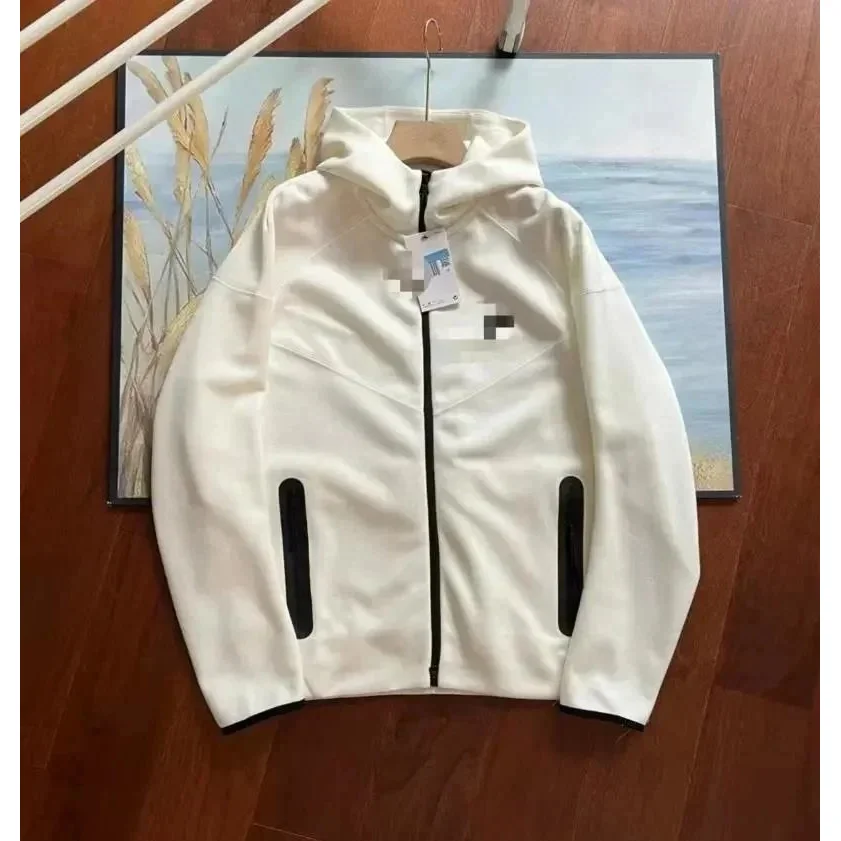
Inspect hood shape, drawstrings, cuffs, waistband ribbing, pocket symmetry and graphic placement. For zipped hoodies, check whether the zip lies straight and whether patterns or seams meet consistently across the opening.
- Useful views
- Full front · full back · hood · cuffs · waistband · pocket or zip close-up
- Measurement request
- Flat chest width, body length and sleeve length measured from the same stated points each time.
- Pause when
- Ribbing looks permanently twisted, the zip path is hidden, or only a hanger photo is supplied for a fit question.
Browse hoodies with reported QC photos →04 · JacketsHow to check HubBuy jacket QC photos
Check the full silhouette before details. Compare sleeve and panel alignment, collar shape, zip or snap operation, pocket placement and the joins between different materials. Confirm all detachable or included pieces are shown.
- Useful views
- Closed front · open front · back · profile · interior · hardware and label close-ups
- Measurement request
- Chest, shoulder, back length and sleeve length with the jacket closed and laid naturally.
- Pause when
- A closure cannot be seen working, panels pull unevenly, or the record does not show the interior and included parts.
Browse jackets with reported QC photos →05 · Trousers & pantsHow to check HubBuy pants QC photos
Lay the trousers flat and compare the two legs, rise, pocket position, fly, seams and hems. For elastic waists, distinguish the relaxed measurement from the stretched maximum rather than treating one number as both.
- Useful views
- Flat front · flat back · waistband · pockets · fly · cuffs or hems
- Measurement request
- Relaxed waist across, front rise, inseam and outseam; note whether the tape follows a curve.
- Pause when
- The waist is stretched without disclosure, the crotch seam is hidden, or the two leg lengths cannot be compared.
Browse pants with reported QC photos →06 · Bags & backpacksHow to check HubBuy bag QC photos
Check the bag empty and standing naturally. Compare panel and pocket alignment, base corners, edge finishing, lining, handles, strap attachments, zips and other hardware. Confirm removable straps and small included pieces are present.
- Useful views
- Front · back · both sides · base · interior · handle and closure close-ups
- Measurement request
- Length × height × depth plus handle drop or strap range, with the measurement direction stated.
- Pause when
- The base corners are concealed, the closure is never opened, or the stated dimensions cannot be matched to the ruler.
Browse bags with reported QC photos →07 · BeltsHow to check HubBuy belt QC photos
View the belt fully unrolled so the edge, hole spacing and buckle attachment can be followed from end to end. A printed size alone does not establish the usable fit range.
- Useful views
- Full unrolled belt · front and back · buckle · holes · tip · edge close-up
- Measurement request
- Total length, strap width and distance from buckle reference point to the first and last usable holes.
- Pause when
- Only the total length is shown, the usable hole range is missing, or the strap stays rolled and hides edge condition.
Browse belts with reported QC photos →08 · Hats & accessoriesHow to check HubBuy accessory QC photos
Use category-specific evidence: check crown shape and closure on hats, hinge alignment on eyewear, and all included pieces on small goods. Keep visual inspection separate from claims a photo cannot test, such as scent, UV protection or material composition.
- Useful views
- Front · back · profile · interior · closure or hinge · packaging and included pieces
- Measurement request
- Relevant usable dimensions such as hat circumference, frame width or the length of an adjustable strap.
- Pause when
- Paired parts are asymmetric, a functional joint is hidden, or the photo set omits a component shown in the listing.
Browse hats and accessories with reported QC photos → “More photos” is vague. State the exact view, measurement or area needed and why it would change the decision.
Product
Useful targeted request
Shoes
Insole length in millimetres, heel viewed straight on, and outsole edge at the suspected area.
Top or hoodie
Flat chest width, body length from the shoulder and a straight-on view of the graphic or embroidery.
Trousers
Relaxed waist, inseam and a full front/back view laid flat.
Bag
Length × height × depth, base corners, handle attachments, closure and interior.
Belt
Total length, usable hole range, width, edge finishing and buckle attachment.
Copy-ready QC photo request templates
Use one focused request at a time. These templates name the item position, measurement anchors and the view that must stay readable, so the resulting image has a clear job.
Shoes“Please photograph the removable insole flat beside a millimetre ruler, with both endpoints and the full measurement visible.”
T-shirt or hoodie“Please lay the garment flat without stretching it and show pit-to-pit chest width plus shoulder-to-hem body length.”
Jacket“Please show the jacket closed in a full front view, then photograph the zip, both cuffs and the inside label clearly.”
Trousers“Please show the relaxed waist across, front rise and inseam with the tape flat and both measurement points visible.”
Bag“Please show length, height and depth with a ruler, plus separate close-ups of the base corners, closures and strap attachments.”
Belt“Please unroll the belt and show total length, width, and the distance from the buckle reference point to the first and last usable holes.”
Avoid common QC photo misreads
Warehouse lightingWarm, cool or mixed lighting can shift beige, cream, olive and grey. Compare several views and treat exact colour as uncertain when the light changes.
Wide-angle distortionObjects near the edge of a frame can look wider or longer. Use a straight-on view and a physical measurement for proportions that affect fit.
Folded garmentsA fold can hide seams, damage and the true silhouette. Measurements taken on a folded or stretched garment are not comparable with a flat size chart.
Unreadable rulersA ruler proves little when its unit, zero point or endpoint is outside the frame. Both anchors and the complete reading should be visible in one clear image.
Use one consistent decision rule
KeepThe variant matches and useful evidence answers the shortlist question.
CompareAnother row may offer clearer measurements, coverage or fewer unknowns.
PauseThe option is unclear, evidence conflicts or an important area is hidden.
Separate photo-set quality from product quality
A sharp, complete photo set is strong evidence coverage; it is not proof that the product itself is high quality. The reverse is also true: a blurry or incomplete set does not prove a defect, but it prevents a confident visible assessment. Record these as two different judgments.
Is the evidence usable?
Sharpness, lighting, full-item coverage, close-ups, measurements and correct variant.
What is visibly acceptable?
Specific construction, alignment, surface and condition observations supported by the images.
What is visibly concerning?
The exact location, image and reason a detail crosses your stated acceptance threshold.
What remains unknown?
Hidden surfaces, comfort, composition, performance, scent, fit or long-term durability.
Build a QC decision record you can recheck
Do not leave the result as a vague “looks good.” A compact record makes it clear which evidence supported the decision and what still needs a current check.
Record field
What to write
Product identity
Exact title, colour, size or option, plus the link or row used for comparison.
Photo-set context
Date reviewed, source or order stage, reported count and whether the set belongs to the intended item.
Coverage
Which full views, close-ups, interiors, labels, functional areas and included pieces are actually visible.
Measurements
Value, unit, anchor points and whether both ends of the tape are readable without stretching or perspective distortion.
Visible observations
Specific location and image reference for alignment, finish, condition or a possible concern.
Unknowns
Every question the photo set cannot answer, including hidden surfaces, composition, comfort or long-term performance.
Next action
Continue, request a targeted photo, compare a measurement, recheck the current option or pause the shortlist.
Recheck QC at the correct stage
Before shortlistingUse catalogue identity and any reported QC signal to decide whether the row deserves deeper review.
Before approvalUse item-specific photos, measurements and the exact option; this is where unresolved evidence matters most.
Before shippingConfirm the selected item, included pieces and packed-parcel facts have not been mixed with another record.
Use a severity framework for visible concerns
LowCosmetic observation
Record the location and scale of a small visible difference without exaggerating it.
MismatchWrong option or missing piece
A wrong colour, unusable measurement or incomplete set can invalidate the row.
HighStructural concern
A broken closure, tear, separated sole or damaged attachment needs a close-up and a pause.
UnknownEvidence gap
A hidden or blurry area is not a defect; it is a reason to request clearer evidence.
A strong QC photo sequence
01IdentityFull item and exact variant
02CoverageFront, back, sides and interior
03ConstructionSeams, edges and attachments
04Close-upThe exact area in question
05MeasurementCorrect anchors and readable units
For fit questions, continue to the HubBuy sizing and measurement guide. A clean photograph without the right measurement still cannot answer a size question.
What QC photos cannot prove
- Authenticity or legal status
- Comfort, fit or feel on your body
- Exact material composition
- Long-term wear and durability
- Colour under every lighting condition
- Scent, UV protection or hidden performance
QC photos reduce visible uncertainty. They do not remove transaction, shipping or product-performance risk. Combine them with the current listing, selected option, measurements and packed-parcel planning.
HubBuy QC photos FAQ
These answers follow the same separation used throughout the guide: catalogue images identify a record, QC photos provide visible evidence, and missing evidence remains unknown.
What are HubBuy QC photos?
They are item images associated with a source record or order. They can show visible details, condition and measurements, but their usefulness depends on whether the correct product and variant are shown clearly.
Does HubBuy provide free QC photos?
HubBuy's public purchase workflow currently says goods enter warehouse quality inspection and customers receive free quality-inspection images. The live order page remains the source for the exact photo set attached to an item.
How many free HubBuy QC photos will I receive?
The public homepage does not state one universal image count. Photo quantity and coverage can differ by item or current service workflow, so inspect the actual set instead of relying on a copied number.
Do extra HubBuy QC photos cost money?
The public homepage does not publish a universal extra-photo price. Check the current order interface or official support before requesting another view, and ask only for a photo that could change the decision.
Does a higher QC photo count mean better quality?
No. Photo count describes quantity, not coverage or product quality. Three targeted images can answer more than nine repeated angles, so inspect what each photo actually shows.
Can QC photos prove authenticity?
No. Photos can support observations about visible details, but they cannot guarantee authenticity, material composition, comfort, long-term durability or future performance.
What extra QC photos should I request?
Ask for a specific view tied to a decision: insole length for shoes, flat chest width and body length for tops, waist and inseam for trousers, or dimensions and hardware close-ups for a bag.
Should I compare QC photos with listing photos?
Yes, but keep their roles separate. Listing images describe the advertised product; source QC or warehouse photos should be checked for the selected item and variant. Similarity does not remove the need for measurements and full-item views.
Are the product thumbnails on this guide QC photos?
No. The cards use catalogue thumbnails to identify current API records that report one or more QC images. Open the relevant product record and review its associated source or warehouse QC photos before making a decision.
What if a HubBuy spreadsheet row has no QC photos?
Treat visible condition and measurements as not verified. You can compare the listing data, but do not infer a positive QC result from an empty photo set. Prefer a row with useful evidence or request photos tied to the exact item.
How should I check shoe QC photos for sizing?
Confirm the size tag, then request the removable insole laid flat beside a millimetre ruler with both endpoints visible. Compare that measurement with footwear you already wear rather than relying only on the printed size.
How should clothing measurements appear in QC photos?
The garment should be laid flat without stretching. The tape should follow named anchor points, remain readable and show both ends. For tops, use chest and body length; for trousers, use relaxed waist, rise and inseam.
What if every QC photo uses almost the same angle?
Treat the set as incomplete coverage. Repeated front views do not replace the back, sides, interior, outsole, base, closure or measurement views required by the product type.
Can lighting make a product look like the wrong colour?
Yes. Warm light, cool light, flash and camera processing can change colour appearance. Compare a neutral full-item view with the selected option and record colour as uncertain when the set is inconsistent.
Should I reject a product because one photo is blurry?
Not automatically. Decide whether the blurry area contains decision-critical evidence. Request a clear replacement when it hides identity, a measurement, a closure, damage or the exact concern you need to judge.
When should I pause instead of requesting more photos?
Pause when the wrong variant appears, included pieces are missing, measurements conflict, a structural concern is visible or the record cannot be tied confidently to the intended item.
What should a useful QC note contain?
Record the product and option, photo-set date, views supplied, measurements, visible observations, unresolved questions and the next action. Avoid unsupported labels such as perfect, authentic or guaranteed.
Do clean QC photos guarantee that the item will fit?
No. A clear photo set can make measurements readable, but fit still depends on the measurement method, product cut and comparison with an item that already fits you.
Continue with the next unresolved question
FitMeasurements still do not answer the size question
Compare the same anchor points with a reference item and confirm the current size system.
Open the sizing guide →LinkThe photos no longer match the current product page
Check redirects, title, option, image and destination status before keeping the row.
Verify the product link →ParcelThe item looks acceptable but packed cost is unknown
Separate product value, packed dimensions, actual weight and volumetric weight.
Plan shipping weight →