
 SneakersQC · 9 photos
Nike directory · Checked 28 September
HubBuy Nike spreadsheet finds with visible QC signals.
Use this focused Nike directory to compare current shoe and apparel references without treating every row as equivalent. Start with the exact model and colourway, review the reported QC set, then confirm the live option and price on the current listing.
Browse QC-backed finds ↓6Current source rows
6Rows reporting QC
2Product categories
$33–$56QC-backed USD range
Direct answer
What is a HubBuy Nike spreadsheet?
A HubBuy Nike spreadsheet is a focused directory of current source products carrying the Nike brand label. This page adds dated USD estimates, reported QC-photo counts and model-specific checks so a researcher can compare Nike shoes or apparel before opening the current listing.
See current QC-backed Nike finds ↓- 01
Current scopeCurrent Nike-labelled rows with a visible data-check date
- 02
Visible evidenceQC-photo counts for model, colourway and construction checks
- 03
Useful next stepInternal shoe, jacket and product-level research guides
Current Nike references
Products with reported QC photos
Only rows with a positive QC signal are shown here. The count records source-reported photos; it is not an inspection score or authenticity result.
SneakersQC · 9 photos SneakersQC · 7 photos
 SneakersQC · 7 photos
 SneakersQC · 7 photos
 SneakersQC · 7 photos
Nike Air Zoom Kobe Black/Volt/University Red Sneakers
7 QC photos listed
USD estimate$55.56
View guide↗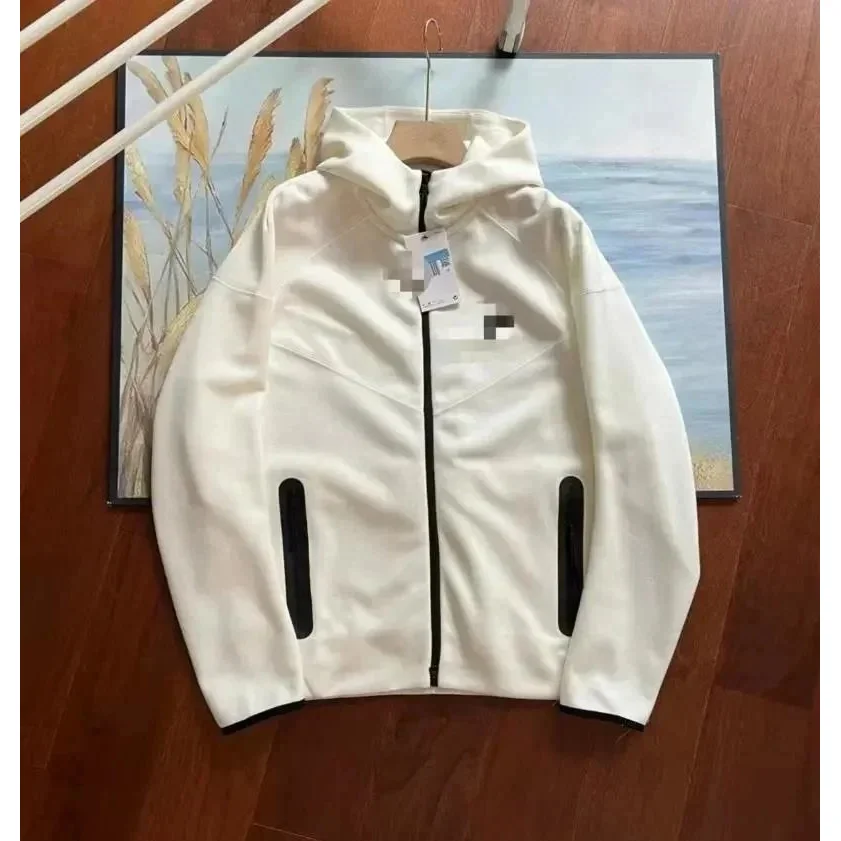 JacketsQC · 3 photos
Brand-specific research guide
How to compare Nike spreadsheet finds
Nike-labelled rows often share similar model names while differing in colourway, size system or source title. Keep identity, sizing and visible construction as separate checks.
- Match the exact model, colourway and style wording before comparing two rows.
- For shoes, review toe shape, side profile, heel, tongue and outsole across the available QC angles.
- Confirm the size system and look for an insole-length reference instead of relying on one size number.
- Treat the displayed USD amount as a dated estimate and re-check the current listing.
Focused research paths
Search the Nike spreadsheet by intent
Choose the product question first. These pages connect the brand directory to the category and evidence guides that answer it.
HubBuy Nike shoes spreadsheet
Compare current Air Max, Dunk and Kobe-style references by exact model wording, colourway, side profile and outsole—not by a broad Nike label alone.
Open the shoes spreadsheet →Nike QC photos and shape checks
Use the reported QC set to inspect toe shape, heel height, tongue placement, panel alignment and the selected colour combination from more than one angle.
Use the QC photo guide →Nike sizing and current price checks
Confirm the size system and insole guidance, then treat the USD amount as a dated estimate until the current option and price are verified on the live listing.
Follow the spreadsheet workflow →Three-step workflow
How to use this HubBuy Nike spreadsheet
Move from exact product identity to visible evidence, then verify the current source before keeping a listing.
Choose the exact product
Start with the Nike model, product type, colourway and variant—not the brand name alone.
Compare QC and measurements
Use the product-type checklist, reported QC count and written dimensions to identify what the current row can actually prove.
Verify the live source
Open the live listing and re-check the selected option, current price and availability before treating the spreadsheet row as current.
Editorial shortlist
Nike product research pages
These selected products also have original item-specific checks and a dedicated internal research page.
SneakersQC · 9 photosNike Air Max Tuned White Sneakers
USD estimate$42.50
View guide↗SneakersQC · 7 photosNike Zoom Kobe 6 Red/Black Sneakers
USD estimate$55.56
View guide↗SneakersQC · 7 photosNike Air Zoom Kobe Black/Volt/University Red Sneakers
USD estimate$55.56
View guide↗JacketsQC · 3 photosWhite Solid Hooded Jacket
USD estimate$33.00
View guide↗HubBuy Nike FAQ
Questions about Nike finds, QC photos and prices
Short answers for the most specific searches behind this brand page. Counts and product coverage refer to the dated catalogue snapshot shown above.
How do I use a HubBuy Nike spreadsheet?
Start with the exact Nike model or product type, narrow the list to the intended colourway, compare the reported QC evidence and sizing details, then open the live listing to confirm the selected option and current price.
Does every Nike product on this page have QC photos?
The product grid on this brand page only shows current Nike-labelled rows that report at least one QC photo. A QC count is an evidence signal, not a quality score, authentication result or guarantee that every useful angle is present.
What should I check in HubBuy Nike shoe QC photos?
Check the exact model and colourway first, then compare toe shape, side profile, heel, tongue, panel transitions, stitching and outsole. Use multiple angles because one hero image cannot show overall shape or alignment.
How should I compare Nike shoe sizes?
Confirm whether the listing uses EU, US, UK or another size system and look for an insole-length reference. Compare that measurement with footwear that already fits instead of relying on a familiar size number alone.
Are the Nike prices shown here final prices?
No. Prices are dated USD product estimates from the current catalogue snapshot. They do not include route-dependent delivery, packing or later listing changes, so the live listing remains the source for the current product price.